Attention
Qubes OS 4.2 has reached end of life - it is no longer supported and thus will no longer receive security updates, bug fixes, or new features. We recommend to perform an in-place upgrade or perform a clean installation of Qubes 4.3! The documentation of version 4.2 will also not receive any new updates, unless bug fixes. Its state is thus archived.
Autostart troubleshooting
In several cases, there is a need to prevent autostart=True for qubes on boot. For example:
sys-usbwas enabled, but the only keyboard is attached via USB, and thequbes.InputKeyboardservice is disabled.A PCI device assigned to an autostarting qube crashes the system (e.g., a GPU or RAID controller card).
To address this, there is a qubes.skip_autostart option for the kernel command line. You can use it at the grub boot menu.
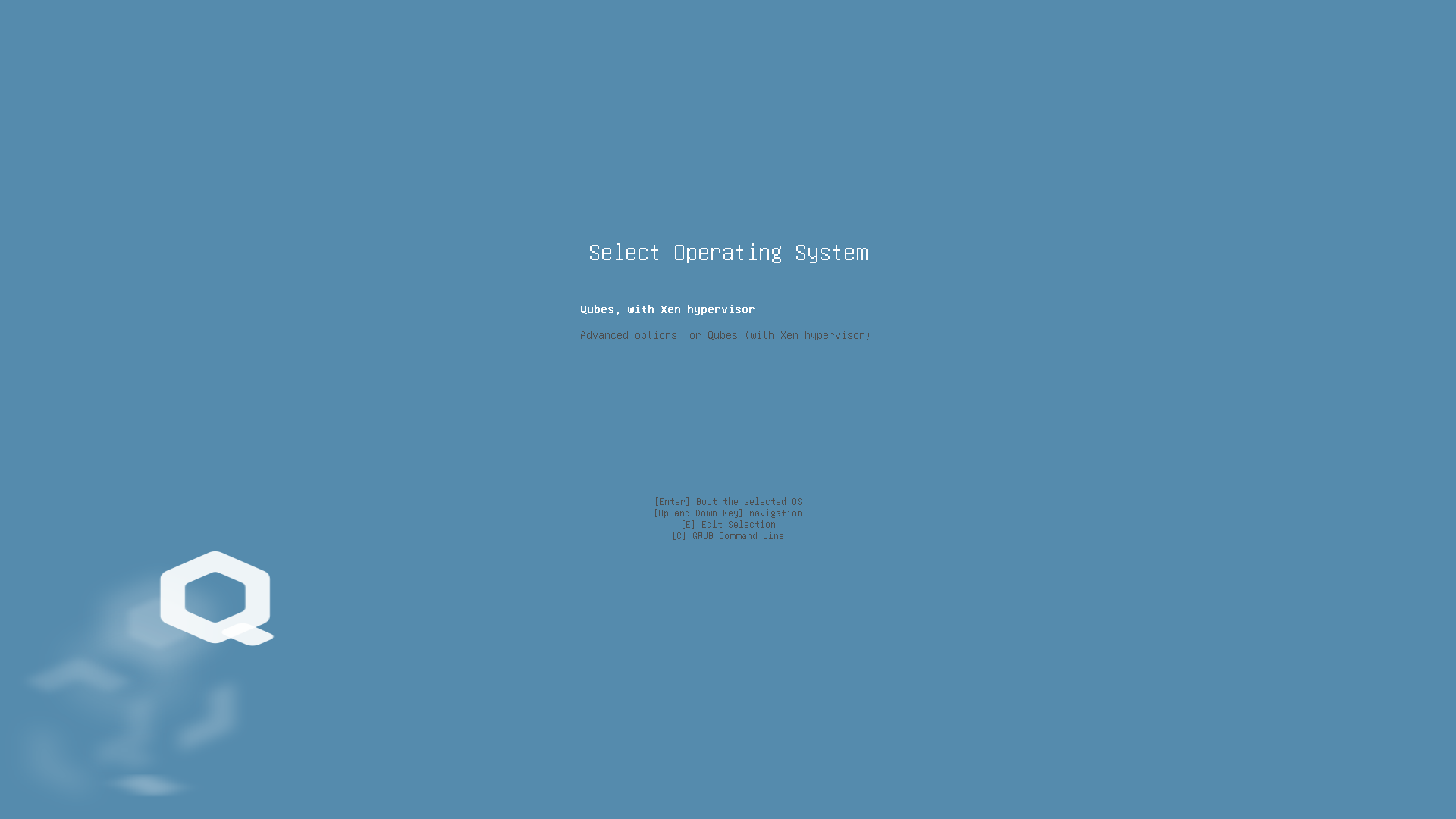
Press the E key on the first prompt (or your custom prompt). Then, press the down arrow key multiple times to reach the line starting with module2 /vmlinuz.
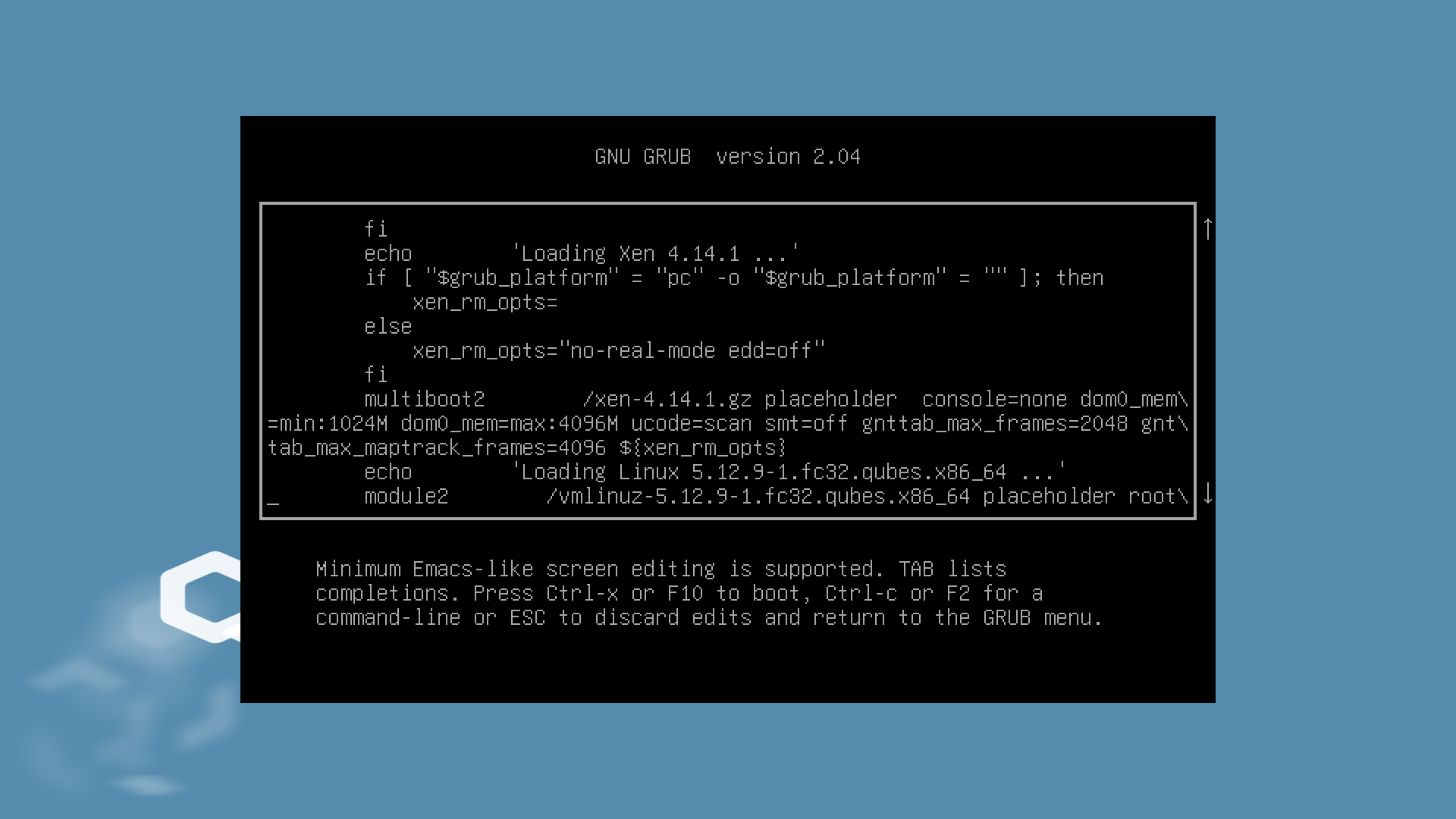
Append qubes.skip_autostart to the end of this line (generally after the rhgb quiet options).
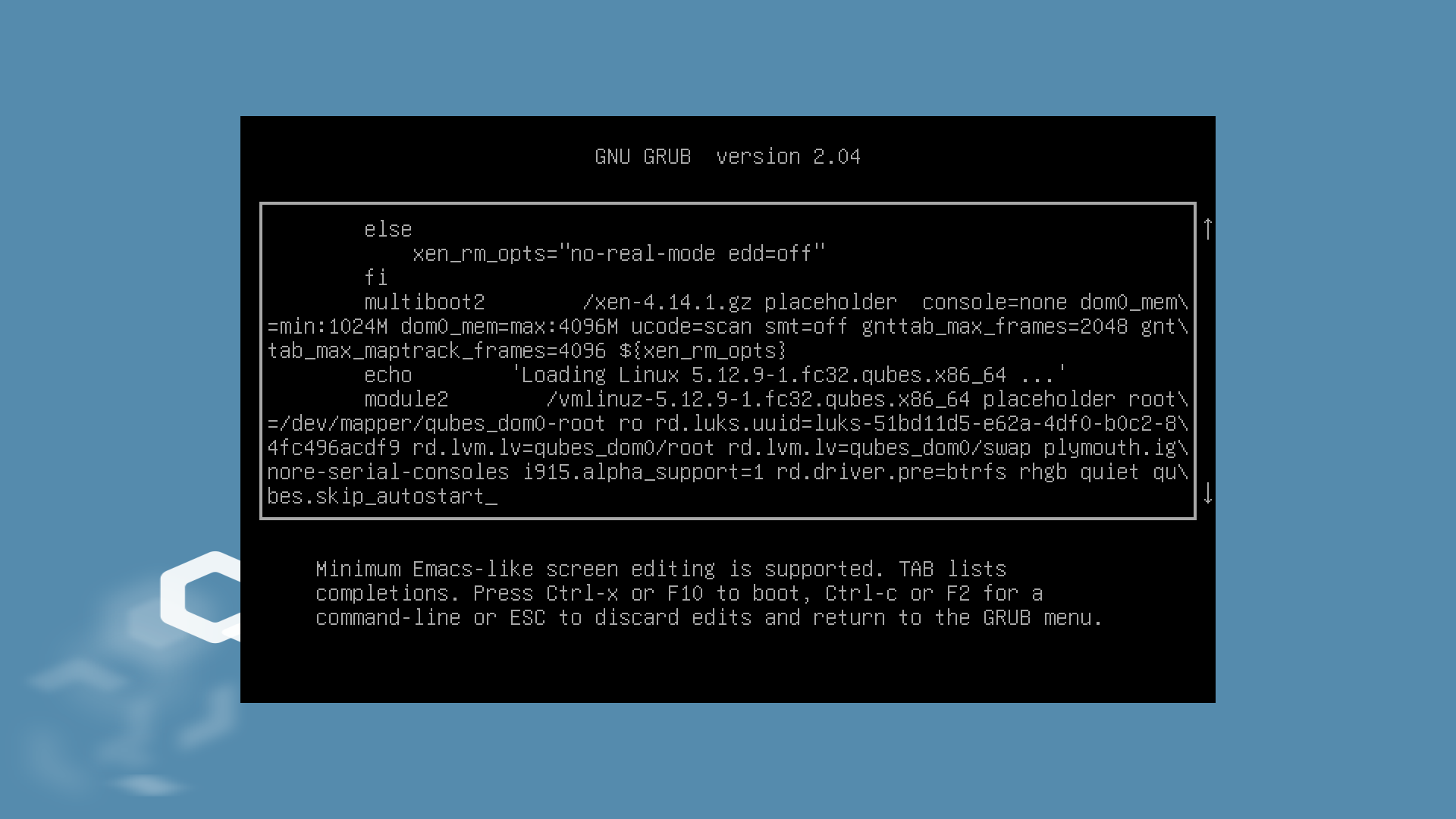
Press Ctrl+X to boot with the edited GRUB entry. The boot will proceed as usual from here, except that no qube will be autostarted.