How to enable a qube service
To enable a service in a qube there are two options:
Use the Settings of the qube
Use qvm-service
You might have to restart the qube for changes to be reflected.
How to enable a service in the Settings
Open the qube’s Settings, you can use Qubes Application menu, select the qube and click on Settings.
Go to the Services tab
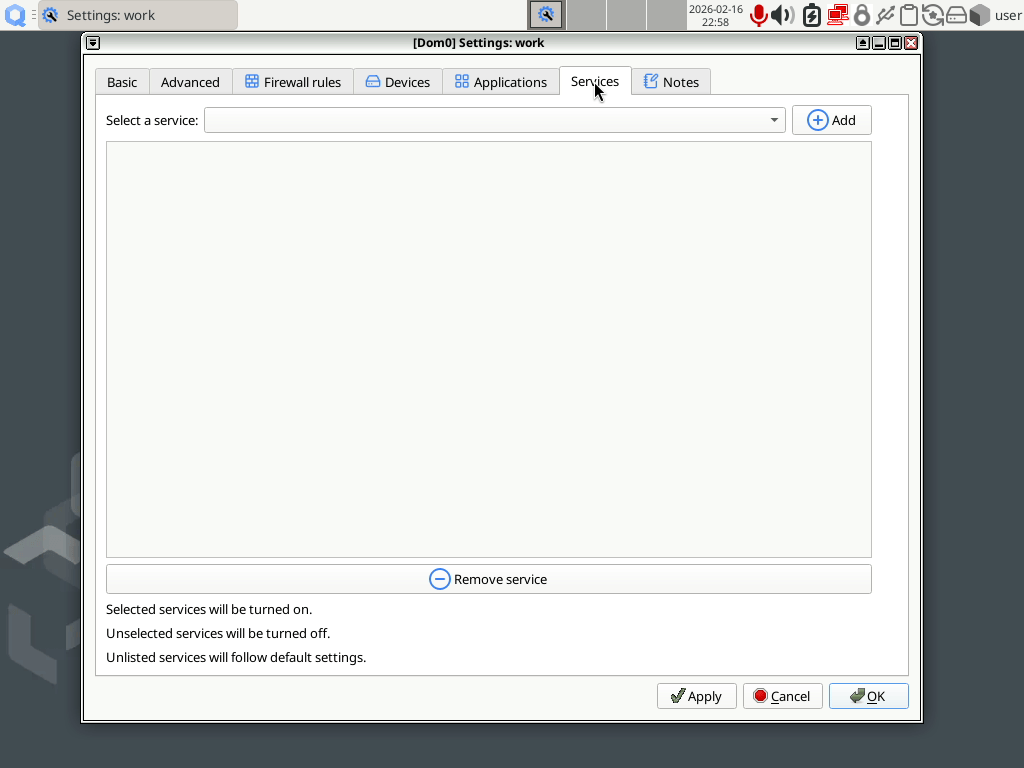
You have two options, depending on the current list of the services:
If the service is listed, you just have to check the box if front of the name.
If the service is not listed:
Select it in the Select a service drop-down.
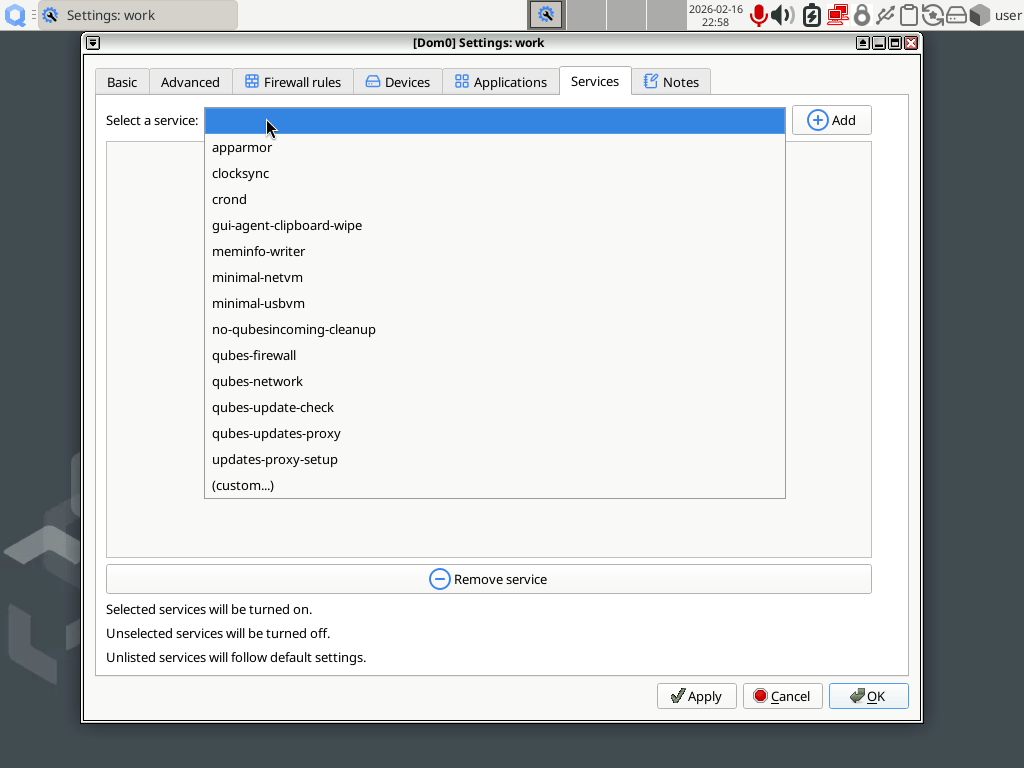
If that service is not present in the drop-down, select the last item, called (custom…)
Click on Add
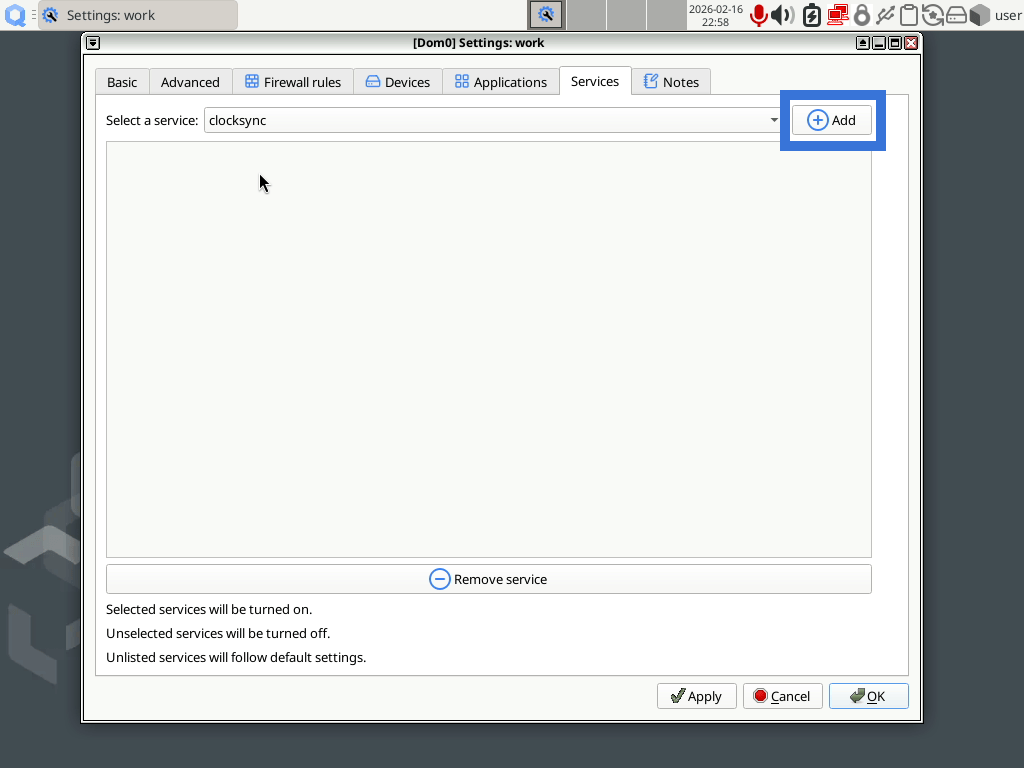
If you have previously selected (custom…), a pop-up will ask you the name of the service
Use Apply or OK to validate the change.
How to enable a service with qvm-service
In a dom0 terminal, enter the following command, replacing <QUBE_NAME> by the name of the qube and <SERVICE_NAME> by the name of the service:
[user@dom0] $ qvm-service -e <QUBE_NAME> <SERVICE_NAME>
This is equivalent to:
[user@dom0] $ qvm-service <QUBE_NAME> <SERVICE_NAME> on
You can check the current status of the services of one qube with the following command:
[user@dom0] $ qvm-service <QUBE_NAME>
Or you can check only the current status of one service with the following command:
[user@dom0] $ qvm-service <QUBE_NAME> <SERVICE_NAME>
Example: How to shutdown a qube when idle
Qubes shutdown idle allows you to automatically shut down a qube when idle for more than 15 minutes.
Note
At the moment, only checking for visible windows is supported - when a VM has no visible windows for more than 15 minutes, it’s going to be shut down.
In the template of your qube, install the software called
qubes-app-shutdown-idle.Then you can either:
open the qube’s Settings, i.e.: in the Qubes Application menu, select the qube and click on Settings. Then, tick the box Shut down when idle for more than 15 minutes.
or enable the service called
shutdown-idle